
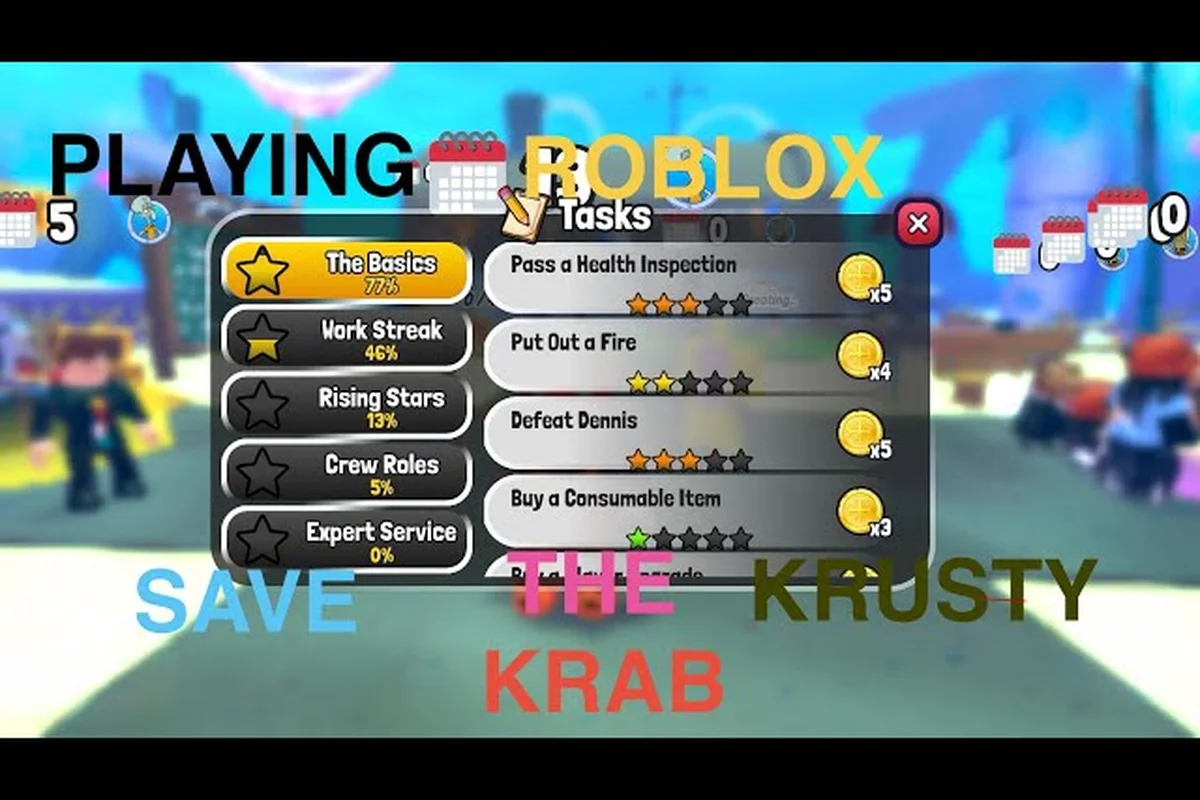
Save the Krusty Krab new menu items can reshape prices, order priorities, and restaurant efficiency after a patch, so verifying the current shop is more useful than trusting older guides. This update tracker explains what to check, what is confirmed, and what remains community-reported.
What Save the Krusty Krab New Menu Items Can Change
A new or rebalanced menu item may affect more than its purchase price. Its station requirement, preparation time, order frequency, and relationship to other recipes can alter the full workflow of a shift. Because community field notes show that shop prices and availability have shifted between patches, the safest method is to open the night shop and class shop in the current build before committing to a strategy.
| Menu change | Direct effect | Possible shift-level effect | Verification method |
|---|---|---|---|
| New recipe added | More order types | Greater station congestion | Check the current recipe or menu interface |
| Price adjusted | Lower or higher upgrade cost | Faster or slower progression | Inspect the shop panel in-game |
| Item availability changed | Recipe may become harder to buy | Fewer options during a shift | Check stock and purchase controls |
| Preparation time adjusted | Changes service speed | More difficult order sequencing | Compare current cooking and assembly times |
| Ingredient requirement changed | Changes shopping priorities | New waste or storage risks | Inspect the recipe details |
| Balance changes applied | Improves or weakens an option | Alters which strategies are efficient | Compare the current build with the previous patch |
The table distinguishes a direct menu edit from its second-order impact. A lower Krabby Patty price, for example, may make early upgrades easier, while a longer preparation time can make that same item less attractive during crowded rushes. Availability also matters because an item visible in one menu may not always be purchasable when stock is limited.
Current Verification Boundaries
The confirmed update information is deliberately narrow. According to community data, there is no codes system, game pass, or VIP server in the current build, and future event schedules or roadmap dates have not been published by Krabby Krew. Exact formulas for the star-rating system, energy cap, customer patience, burn threshold, daily customer growth, and villain spawn timing are also unverified.
Treat claims about exact minutes, percentages, or formulas as observations unless the game itself displays them. When a price changes, record the item name, amount, purchase method, and current date. That simple log prevents an older screenshot from being mistaken for a present-day value.
A Reliable Verification Routine
Start with the class shop, then compare the night shop, and finally test whether each visible item can actually be purchased. Community reports emphasize that menu visibility alone does not guarantee availability. If an item appears dimmed, unavailable, or missing after a purchase, treat that result as a Current-Build Availability finding rather than assuming the item has been removed.
-
Open the relevant shop in the current build.
-
Record the displayed price without converting it into an outdated estimate.
-
Check the purchase button and stock state.
-
Test the recipe in a low-pressure shift.
-
Repeat the check before making a major progression decision.
Tracking Save the Krusty Krab Balance Changes
Balance changes matter because the strongest purchase is not always the item with the lowest price. Its value depends on how often it can be served, how quickly it is prepared, and whether its ingredients compete with better recipes. A reliable comparison therefore separates Purchase Value from Shift Value.
| Comparison point | Lower-price option | Higher-price option | What to watch |
|---|---|---|---|
| Upfront cost | Spends less currency | Preserves currency longer | Early upgrade efficiency |
| Service speed | Quick to assemble | Takes more handling time | Rush-hour performance |
| Order value | May improve basic earnings | May support higher payouts | Active order mix |
| Station demand | Uses a crowded station | May use another station | Congestion and delays |
| Ingredient cost | Simple shopping list | More expensive supplies | Net profit by service |
| Availability | Easier to obtain | May be limited or harder to buy | Consistency across shifts |
This framework avoids declaring a universal best upgrade without official patch notes or a stable dataset. The current game does not provide a published formula for several important economy values, so an item’s apparent strength can change when customer behavior or availability changes. The Save the Krusty Krab update predictions page can help separate announced features from speculation, but an in-game price should always remain the final reference.
Measuring the Real Economy
Track a small sample of successful orders rather than relying on a single sale. For each item, record the purchase cost, ingredients used, preparation time observed, and whether the order was completed before the customer’s visible patience limit expired. These are practical observations, not hidden formulas, and they provide a defensible basis for comparing recipes.
| Recorded field | Why it matters | Caution |
|---|---|---|
| Displayed price | Establishes current upgrade cost | Prices may differ by shop or stock state |
| Ingredients consumed | Shows real supply usage | Waste may alter the effective cost |
| Assembly time | Helps estimate order throughput | Video timing and player speed can differ |
| Completion result | Shows whether the order was delivered | Failed orders should be recorded separately |
| Purchase availability | Confirms the item can be obtained | Availability may change during a session |
| Build version | Keeps the record interpretable | Relate it to the patch when known |
Do not convert these observations into an exact profit formula unless the game exposes the underlying calculation. Community reports can identify patterns, but an invented coefficient may spread the wrong conclusion to every player. The best internal record is descriptive, dated, and tied to the build in which it was collected.
What Community Reports Can Establish
Community reports are useful for identifying issues that may not appear in an official changelog. Player observations can point to a recipe that repeatedly disappears from stock, a purchase control that remains unavailable, or a new item that appears with an unexpected requirement. Those reports become evidence only when they include reproducible steps and a current screenshot or video.
The verified Halloween example, Saving the Krusty Krab During Halloween by RDMVigilance, can provide visual context for event content and restaurant operation. It should be used alongside current shop checks, because an older video cannot confirm today’s menu price or availability.
Bug Fixes and Known Issues
A bug report should separate visible behavior from interpretation. “The purchase button remains unavailable” is an observation; “the item was removed” is a conclusion that requires further testing. This distinction is especially important when the only available information comes from players rather than an official developer patch note.
| Issue type | Reproducible example | First response | Status wording |
|---|---|---|---|
| Missing menu entry | Item does not appear in the expected shop | Reopen the shop and check stock state | “Not currently visible” |
| Disabled purchase | Item appears but cannot be bought | Check requirements and current funds | “Displayed but unavailable” |
| Stale price | Shop shows a different amount than a guide | Record the current display | “Current-build price” |
| Order failure | Recipe completes but the order does not close | Retry without changing unrelated systems | “Order failed to close” |
| UI overlap | Text or buttons cover one another | Capture the full screen | “Interface display issue” |
| Save or load problem | Progress changes after reopening the game | Document the affected stage | “Progress persistence issue” |
Use the Current-Build Availability phrase when an item can be seen but not obtained. It avoids both false claims of removal and false claims that everything is working normally. If the same menu item is available after restarting the game, the behavior may be temporary; if it persists across fresh sessions, it deserves a detailed bug report.
Submitting Reproducible Bug Details
A useful report includes the menu location, item name, device or platform, current date, and the exact sequence used before the problem began. Include a screenshot when possible, but remove unrelated account information. If an order fails, state which assembly step completed and whether the customer remained active; that information helps distinguish a recipe problem from a broader order-system issue.
Known issues should also be labeled by impact. A Display-Only Issue changes how the menu looks but does not prevent purchasing. A Blocking Issue stops a player from buying, assembling, or completing an order. A Progression Issue affects saved progress or class progression. Clear labels reduce repeated reports and make unresolved problems easier to track.
Confirming a Fix
After a patch, repeat the original steps instead of assuming a fix because a menu loads normally. Check the item’s price, purchase button, stock state, recipe requirements, and order completion. If the issue remains, preserve the old report and add a dated update rather than replacing the evidence. This makes the Known-Issues History more useful because readers can see whether a problem is new, recurring, or resolved.
Following the Save the Krusty Krab Update Schedule
The current evidence does not support a published weekly release calendar. Community field notes state that no future update dates, roadmap items, or event schedules have been published by Krabby Krew, so a specific prediction should be presented as speculation rather than an announcement. This makes the current update schedule Unannounced until an official channel says otherwise.
| Signal | Reliability | What it can establish | What it cannot establish |
|---|---|---|---|
| In-game change notice | High for active-game information | Current feature state | A permanent future calendar |
| Developer channel post | High when directly verified | Announced direction or release note | Unlisted changes |
| Community report | Medium for reproduction | A possible issue or behavior | Official patch timing |
| Video from an older build | Low for current prices | Historical context | Present-day balance |
| Fan prediction | Low | Player expectations | A confirmed event date |
The safest weekly update routine begins with the current game build rather than a calendar. Check whether the menus have changed, note any balance adjustments, and compare your records with the previous session. Then look for a direct developer announcement before treating a community report as scheduled content.
What Belongs in a Weekly Check
A weekly check can remain short while still producing useful evidence. Review the class shop, night shop, available recipes, and displayed prices once per week. Note the game version if the client exposes one, because the same item can be unavailable on one device and available on another.
-
Record newly visible recipes and removed listings.
-
Compare prices with the previous weekly record.
-
Note changes to recipe requirements.
-
Retest one previously blocked purchase.
-
Save dated evidence for unusual menu behavior.
For broader context, the Save the Krusty Krab developer updates page can separate direct announcements from community interpretation. The distinction matters when evaluating a rumor about the next event or patch.
Building an Update Log
A practical log uses five fields: date, build, observed change, verification method, and confidence. “Item price increased” might be high confidence if the current price is clearly displayed in two sessions. “Shop feels harder” is low confidence because it does not identify a changed value. This simple structure helps the weekly update tracker remain useful without inventing exact developer timing.
| Entry | Date | Build | Observed change | Confidence |
|---|---|---|---|---|
| Night shop audit | YYYY-MM-DD | Current client | Items and prices recorded | High |
| Purchase retest | YYYY-MM-DD | Current client | Availability result captured | High |
| Community issue | YYYY-MM-DD | Not stated | Reproduction steps supplied | Medium |
| Prediction | YYYY-MM-DD | N/A | Possible future content | Low |
Known Issues Verification Checklist
Known issues are easiest to trust when readers can reproduce them. Before calling a menu change a bug, check the current client, restart the game, and attempt the purchase again. This verification sequence also helps uncover simple causes such as insufficient funds, an unmet class requirement, depleted stock, or a menu that has not refreshed.
| Verification step | Question to answer | Evidence to keep |
|---|---|---|
| Confirm the build | Are you testing the same version other players used? | Version label or dated note |
| Locate the item | Does it appear in the expected shop? | Shop name and item name |
| Check availability | Can the purchase button be used? | Screenshot or result |
| Test in a fresh session | Does restarting change the result? | Session comparison |
| Attempt an order | Can the recipe be assembled and delivered? | Order outcome |
| Compare with prior data | Is the price or requirement actually different? | Previous dated record |
The checklist should end with a cautious conclusion. “Unavailable in two sessions on the current build” is stronger than “removed,” while “price changed from the previously recorded amount” is stronger than “the update nerfed it.” A specific conclusion encourages useful bug reports and reduces unnecessary speculation about Save the Krusty Krab balance changes.
Reporting an Unresolved Purchase Problem
A reproducible report should state the menu, item, amount shown, expected action, and actual result. Mention whether the player restarted and whether another item could be purchased. If the issue involves an order, add the recipe and the last successful assembly step. These details distinguish a shop interface problem from a missing item, insufficient currency, or a recipe failure.
Use an issue title such as “Night shop recipe visible but purchase unavailable,” then list the steps in order. A community report should be labeled as such until confirmed. The Save the Krusty Krab wrong order penalty guide provides useful context when an order fails, although it should not replace a direct test of the menu itself.
Maintaining a Clear Resolution History
Never delete an unresolved report simply because a later patch seems to fix it. Mark the outcome as resolved, note the date, and explain which test confirmed the resolution. If the behavior returns, reopen the original case with new evidence. This history makes Save the Krusty Krab bug fixes easier to evaluate and prevents players from spending time rediscovering a problem that has already been documented.
Making the Most of Current Shop Information
The dependable takeaway is to verify before you plan. Save the Krusty Krab new menu items may change between builds, and no current source supports a fixed weekly update calendar. A short, dated audit of prices, availability, and order results provides more value than an old guide claiming a universal best purchase or exact timing formula.
Before upgrading, confirm the price, purchase state, recipe requirements, and service speed in the current build. Keep community observations separate from official announcements, preserve evidence for bugs, and review the logs after each patch. This approach keeps menus, recipes, and progression advice accurate even when the game changes.
Frequently Asked Questions
What are the latest Save the Krusty Krab new menu items?
There is no single verified list that stays current across every build. Players should inspect the class shop, night shop, and recipe interface in the current client, then record the item name, displayed price, availability, and requirements. Older community guides can still provide useful historical context, but an in-game check is the best source for present information.
How can I verify Save the Krusty Krab balance changes?
Compare the current game with a dated record from an earlier session. Check shop prices, stock state, preparation time, ingredient requirements, and whether orders complete normally. Because several formulas and timers are not officially published, treat exact community measurements as observations rather than confirmed developer values.
Are Save the Krusty Krab bug fixes announced every week?
No fixed weekly announcement schedule is currently confirmed. Check the game client and direct developer channels for current information, then retest older known issues after installing an update. The Save the Krusty Krab update schedule should be labeled unannounced unless Krabby Krew publishes a specific date.
What should I include in a Save the Krusty Krab known issues report?
Include the current date, device or platform, menu location, item name, displayed price, and exact reproduction steps. State whether restarting the game changes the result, whether other purchases work, and whether an order can be assembled. Screenshots and short videos can help, but written steps should still make the report independently testable.
Where can I check the Save the Krusty Krab weekly update status?
Use the current game client as the primary source, then look for a direct developer announcement. A weekly shop audit can track price and availability changes, while community reports may identify emerging issues. Do not treat a fan prediction, older video, or roadmap guess as confirmation of the next Save the Krusty Krab weekly update.